 Chicken Lips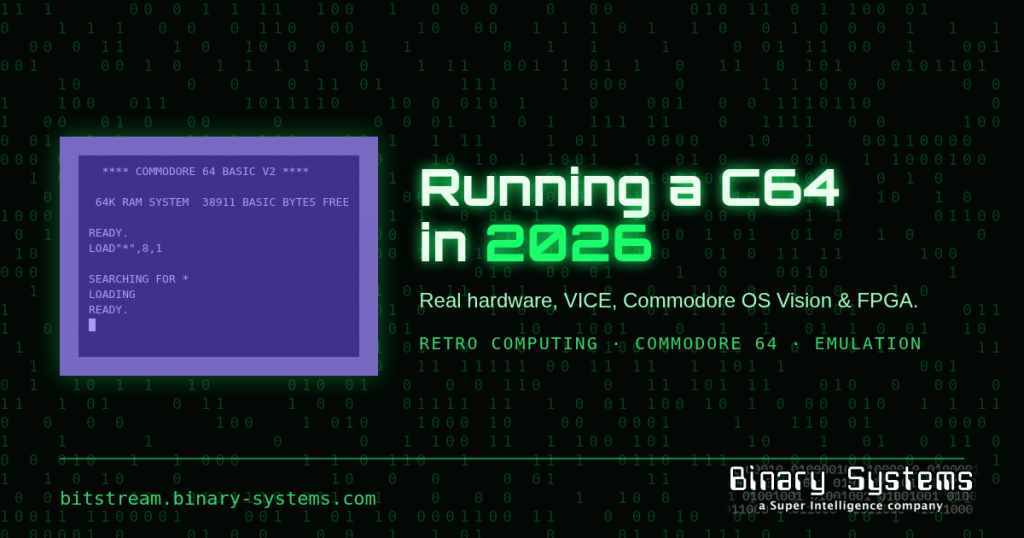
The Commodore 64 launched in 1982, which makes it older than most of the people who will tell you it’s “before their time.” In 2026 there are four good ways to run one: the original breadbin, a free emulator, a Linux desktop in Commodore livery, and new FPGA hardware from a revived Commodore. Our arcade room covers three of them: real hardware, emulation, and Commodore OS Vision. Here’s a no-nostalgia-goggles tour of all four.
Option 1: Real hardware (and the brick that wants to kill it)
Nothing beats the real keyboard, the real SID chip, and the real smell of warm 1980s plastic. But before you plug in that original power supply, read this twice: the stock C64 “brick” can fail with its 5 V regulator shorted, pushing excess voltage straight into the computer. The C64 has no overvoltage protection of its own, and the RAM chips usually die first. RetroTechCollection’s PSU guide and 8-Bit Architect both put a healthy 5 V rail at roughly 4.95–5.10 V and treat anything above about 5.2 V as a failing supply.
Our rule is simple: never test a suspect brick on a machine you care about. Measure it first, then either replace it with a modern supply that includes overvoltage protection, or put an overvoltage cut-out such as a C64 Saver between the brick and the computer.
Storage is the other headache, because 40-year-old floppies are not a backup strategy. An SD2IEC-style device lets the C64’s serial bus read D64, D71, and D81 disk images from an SD card. The catch, per the C64-Wiki’s sd2iec page, is that it can’t run code on the “drive” side, so many custom fastloaders fail. It does support some well-known ones, including JiffyDOS, the Final Cartridge 3, and GEOS. For full 1541 compatibility, the same page points to FPGA-based options such as the 1541 Ultimate.
Option 2: VICE, the emulator that refuses to quit
If you just want to run software, VICE, the Versatile Commodore Emulator, is the gold standard. It’s free, open source, and covers far more than the 64: the C64DTV, C128, VIC-20, nearly every PET model, the Plus/4, and the CBM-II line, plus a C64 with a CMD SuperCPU. The current stable release is VICE 3.10, released on December 24, 2025. Major releases like Christmas: 3.8, 3.9, and 3.10 all landed on December 24 of their years (release archive).
A few practical tips:
- Pick the GTK3 build. The VICE team recommends the GTK3 interface over SDL2. Binaries are provided for Windows and for both Apple Silicon and Intel Macs.
- Use
x64sc, VICE’s cycle-based C64 emulator, when accuracy matters. Demos that rely on precise timing will thank you. - Joystick mapping is still a work in progress. The 3.10 release notes say the GTK port doesn’t have a mapping UI yet, so a non-standard controller may need a hand-placed mapping file.
- Want bleeding edge? Ad hoc development builds are posted on the VICE-Team GitHub mirror. Use those when you’re reporting a bug, not when you’re running a party.
Option 3: Commodore OS Vision, a whole desktop in costume
Commodore OS Vision asks a fun question: what would a Commodore desktop look like if the company had never gone away? The answer is a free, Debian-based Linux distribution with a MATE desktop and Commodore emulation preconfigured. It is now developed and maintained by the revived Commodore and offered through Commodore’s download center.
Version 3.0 arrived on April 22, 2025, and was famously huge: a roughly 37 GB ISO that bundled more than 200 Linux games. Commodore OS 3.1, announced April 28, 2026, slimmed the ISO to about 9.2 GB and moved much of that bundled content to an upcoming application installer. Existing 3.0 users can update in place (about 3 GB) from System → Commodore OS → Update Commodore OS. New in 3.1:
- Commodore OS BASIC V2, a modern BASIC built to compile programs for the real C64 and Amiga, with native Linux and Windows builds and WebAssembly output too.
- Commoserve, Commodore’s own online service for finding C64 games, demos, and music.
- C64U Typewriter, which lets a C64 Ultimate act as a Wi-Fi keyboard and file browser for your PC.
- An Amiga Directory Opus-style file manager called Worker, and window snapping with the Commodore key.
Per DistroWatch, it’s x86_64 only, so don’t plan on putting it on your Raspberry Pi.
Option 4: New old hardware, the 64 Ultimate line
The revived Commodore’s Commodore 64 Ultimate arrived in 2025, and its slimline sibling, the Commodore 64C Ultimate, began shipping in late October 2026 (Commodore’s factory-floor update). These aren’t software-emulation boxes: they recreate the original hardware in an FPGA and add HDMI, USB, and Wi-Fi. Commodore claims up to 99% compatibility with original software and peripherals. The 64C Ultimate even uses cases from the reacquired original injection molds, according to The Verge. At launch, pricing started at $299.99 for the BASIC Beige edition (The Shortcut).
So which one should you run?
- Curious, zero budget: VICE. You’ll be typing
LOAD"*",8,1in five minutes. - Want the whole vibe on a spare PC: Commodore OS Vision 3.1.
- Want real keys and real ports without restoration work: a 64 Ultimate.
- Have the original and a soldering iron: fix the power situation first, add SD storage, and enjoy the genuine article.
Our arcade room runs three of the four (real C64s, emulators, and a Commodore OS Vision machine), and they complement each other. Emulators are for convenience, FPGA is for fidelity with modern comforts, and the original breadbin is for the soul. Just keep that brick away from it.
Binary Systems was founded in 1977, five years before the breadbin, and still keeps proven old code running on modern hardware. See our Retro Computing page.
READY.
— Chicken Lips, retro computing & systems admin for our arcade room